Why you don't really need an expensive, high-end router
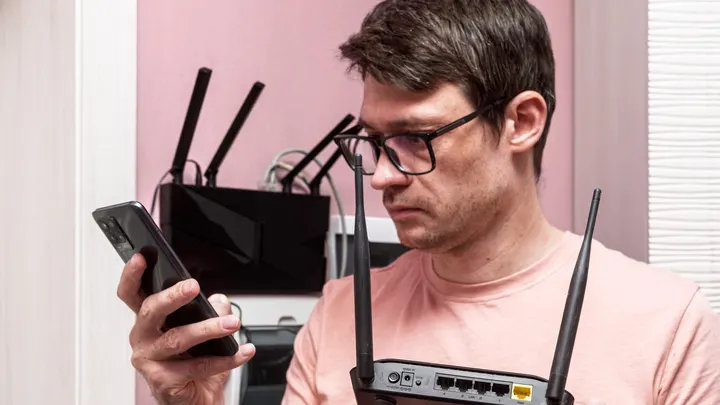
Getting a top-of-the-line router won't necessarily increase your internet speeds. Here's what you need to know before you buy.
Why you don't really need an expensive, high-end router
You may not be happy with the latest and greatest.
Speed has always been the main selling point for routers. Today's flagship models, like Netgear's Nighthawk RS700S, are rated for up to 19Gbps, come with two 10Gbps ports and eight antennas and sell for more than $500. For most households, that's money spent on a ceiling you'll never touch.
A budget router from a more affordable brand like Netgear or TP-Link, coming in at under $100, will handle the vast majority of what a typical home throws at it. Here's why you don't need a high-end router, and the few cases where spending more makes sense.
Start with the speed coming into your house
A router can't make your internet faster than your plan. The router takes the connection your provider delivers and shares it around your home, and that's the whole job. The FCC's benchmark for what is considered 'broadband' is 100Mbps down and 20Mbps up, so a budget broadband router only has to carry that to your devices without choking.
Before you shop, check what you're paying for. There is no sense in buying a router that transfers more data per second than what is coming in through your wall socket. A router rated far above your plan gives you nothing extra, because the bottleneck is the provider, not the box on your shelf.
What a good budget router actually needs
You don't need a novel-length spec sheet. Four things matter:
Gigabit Ethernet ports
Wired connections are still the most reliable way to hook up a desktop, a console or even a smart TV. Gigabit ports mean the router won't slow down anything plugged into it.
Parental controls
Useful for scheduling screen time and blocking sites on kids' devices. Most decent budget routers include them, often through a free app.
Wi-Fi 6 or better
It's not just about the speed. Wi-Fi 6 is a protocol that handles many devices at once more gracefully than older standards, and that's the real day-to-day improvement: Different devices around the house don't fight for bandwidth.
Whole-home range
Location is just as important as raw speed. A fast router in the wrong corner of the house might provide slow speeds where you actually sit. Match coverage to your space. In a larger home, a mesh kit or a second access point may help more than a pricier single router.
What Wi-Fi 7 adds, and who should get it
Wi-Fi 7 is the newest standard, and it's where most of the expensive routers live. Its headline feature is 320MHz channels in the 6GHz band, which the Wi-Fi Alliance says doubles throughput compared with Wi-Fi 6. This might sound like an enticing proposition, but there's a catch.
To see any of that speed, your devices need Wi-Fi 7 too, and plenty of phones and laptops in people's hands today don't have it. The top speeds quoted on the box are also theoretical maximums, not necessarily what you'll measure in your living room. Wi-Fi 7 routers do work with older devices, but those devices won't get faster just because the router did.
Match the router to your household
The right router depends on who's online. If you live alone or with a roommate, even an older Wi-Fi 5 router can usually handle your phones, laptops and TVs without trouble. In an average household of four to six people, with kids on their iPads, parents on their laptops and grandma gaming in the living room, Wi-Fi 6 is the safer choice because it's built to share the connection among many devices at once.
New, expensive, Wi-Fi 7-enabled routers only start to make sense in a big home or home office with a gigabit-plus fiber plan and plenty of Wi-Fi 7 devices to take advantage of it. If that isn't you, a budget router or a mesh system for a larger space will do the job for far less.
When a high-end router is worth it
In some cases, even a lone user can have a good reason to buy an expensive, high-end router:
Streaming PC VR wirelessly
Meta says Air Link over Wi-Fi works best on the 5GHz band, with the computer wired to the router by Ethernet, and it suggests considering a dedicated router if latency is a problem. A router with plenty of headroom keeps the headset's connection clean when everything else in the house is online.
Moving big files around your home network
Copying video projects to and from a NAS or running regular backups never touches your internet plan, so speeds depend on your own gear instead. Wired is still the best way to do this, but a faster router helps for any device that has to connect over Wi-Fi.
Gaming or live streaming
When a latency spike costs you a match or your viewers, a router with good traffic prioritization and spare capacity helps keep things steady.
A stacked smart home
Cameras, sensors, plugs and speakers add up, and a cheap router can struggle with the sheer number of connections.
If none of that is you, the extra cost buys headroom you won't use.
The short version: what to look for in a router
- Know your plan speed first, and don't pay for a router that outruns it.
- Pick Wi-Fi 6 or better, unless you live alone and have light needs.
- Get gigabit Ethernet ports and parental controls.
- Check that the range suits your space, and consider mesh for bigger homes.
- Don't pay for features your devices can't use yet.
- Spend more only if you stream wireless VR, move large files around your network or game and stream where latency matters.
Do that, and a router under $100 will likely do nearly everything you need.