Google brings the standalone Gemini app and Gemini Live to Apple CarPlay
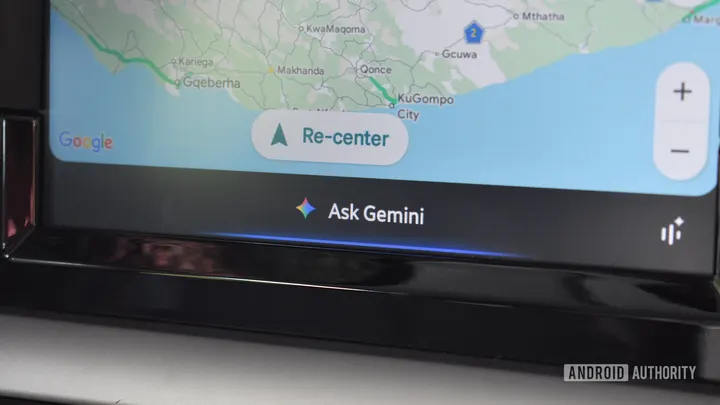
TL;DR Google is rolling out a standalone Gemini app to Apple CarPlay globally, bringing Gemini Live to the platform. Unlike its existing Google Maps integration, the standalone app supports broader conversations and Workspace integration. The rollout begins today, November 11. Users need the latest Gemini app on their iPhone and must have used Gemini Live at least once. Google is expanding its AI presence on Apple…
Affiliate links on Android Authority may earn us a commission. Learn more.
Google brings the standalone Gemini app and Gemini Live to Apple CarPlay
Nov 11, 2026 — 2:35 PM ET
- Google is rolling out a standalone Gemini app to Apple CarPlay globally, bringing Gemini Live to the platform.
- Unlike its existing Google Maps integration, the standalone app supports broader conversations and Workspace integration.
- The rollout begins today, November 11. Users need the latest Gemini app on their iPhone and must have used Gemini Live at least once.
Google is expanding its AI presence on Apple CarPlay by bringing the standalone Gemini app to the platform starting today, Wednesday, November 11. For reference, CarPlay users have already been able to leverage Gemini’s smarts, albeit only in Maps. The development today takes things a step further.
The new standalone app brings access to Gemini Live too, unlocking hands-free conversational assistance throughout your rides. The move has been a long time coming, especially considering that AI assistants like ChatGPT, Claude, Grok, and Copilot are already available on CarPlay.
Compared to the existing implementation via Google Maps, the standalone Gemini app opens the door to a much broader range of use cases. For starters, the assistant retains context. According to Google, when you tap the Gemini app icon on your CarPlay screen, you’ll essentially pick up right where you left off with a recent chat.
Additionally, Gemini syncs across devices too, so every conversation you have with either device will be available to pick up on the other. You’ll be able to start a Gemini conversation on your iPhone while leaving home, continue it during your drive, and return to it on your phone once you’ve reached your destination.
It’s worth noting that the integration doesn’t give Gemini deep device-level permissions, so don’t expect it to change music, adjust the AC, or control other CarPlay apps. Instead, the focus here is on conversational assistance.
Gemini’s Workspace integration means that the app can connect to apps like Gmail and Google Calendar and give you a Daily Brief of your day during your morning commute. It can also conversationally help you “catch up on unread emails, get quick summaries of long email threads, and talk through a quick reply using just your voice.”
Beyond giving you a rundown of your day, Gemini Live, just like its implementation on your phone, can help you brainstorm ideas, help rehearse an upcoming presentation, discuss a topic you’ve been curious about, and more. The tool’s conversational nature means you can interrupt it, ask follow-up questions, or guide the conversation into a different topic without having to start a new chat. If you use Gemini Live on your phone, it won’t take you long to get accustomed to the CarPlay Gemini Live experience.
How to get started
The standalone app is rolling out globally to all Gemini users on iOS across every supported Gemini Live language. You don’t need a separate application — just ensure that the Gemini app on your iPhone is updated to the latest version and that you’ve used Gemini Live on your phone at least once. Note that I haven’t received a Gemini app update yet, and I don’t have the app on CarPlay just yet. Given that the rollout has only begun today, it could take a few days for the app to show up for everyone.
Once available, simply tapping the Gemini app icon on your CarPlay dashboard should let you jump straight into a conversation or pick up where you left off.