5 nifty ways you can reuse your old laptop
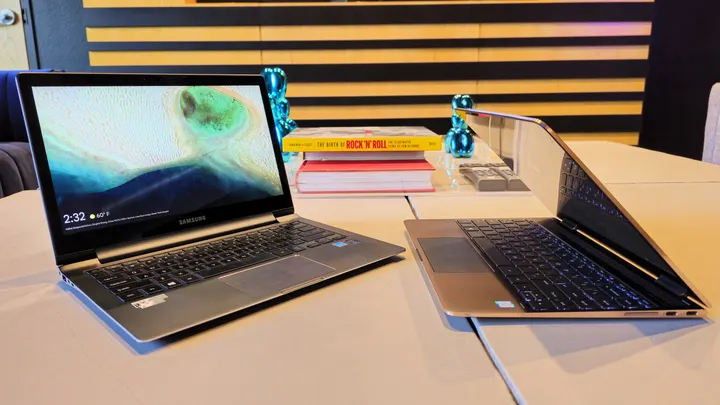
You can do so much more with an old laptop than just throwing it away or leaving it to rot in a drawer. Here are some clever ways to reuse one.
5 nifty ways you can reuse your old laptop
That old laptop of yours might be outdated, but it could still have plenty of life left in it.
An old laptop you no longer use can feel like a problem. Getting rid of one that still works feels wasteful, especially with how the rapacious demands of the AI industry have driven computer hardware prices up. There's never been a worse time to toss out a notebook that still works, but outdated hardware is often ill-suited to daily productivity tasks, entertainment or gaming. You might suspect there are other uses for it, but it's hard to determine what, exactly, those uses might be.
Thankfully, even a computer past its prime is still useful in the right context. We picked just five of the many things you can do to eke more value out of an aging laptop. Whether you're looking to give your clamshell a second life with a lightweight operating system or as a media server or plan on chop-shopping it for parts, these are just a few ideas to get you thinking creatively about the many afterlives a computer can have.
Put a new OS on it
My decade-old laptop, purchased in college, had an Intel Core i7 processor from 2016, 16GB of RAM, and a 4K display; I knew it had some life left in it, but Microsoft disagreed. The laptop wasn't eligible for Windows 11, and Windows 10 didn't run smoothly either.
First, I tried converting it to ChromeOS Flex, Google's free version of ChromeOS for non-Chromebook laptops. It performed well, but was limited to web apps that broke my workflow and stopped me from using local, open-source apps. Without other options, I gritted my teeth and prepared for what I assumed would be the utter slog of installing Linux on the machine.
As it turned out, the entire process took fewer than 15 minutes. I flashed a thumb drive with Fedora Linux, plugged it into the laptop, and booted from the drive. A couple of loading screens later, I was breezing around the GNOME desktop. The first thing I noticed was that Linux was fast. I'd expected at least a few stutters and waits on my 10-year-old hardware, but it took running a few apps and plenty of open tabs in Brave before it showed any signs of stress.
Moreover, Linux has become much more user-friendly over the years, and it can even be an easier experience than Windows. For example, installing apps on Windows can be frustrating. You hunt the software down online, pray you're downloading the actual app you wanted rather than malware, and run through a complicated installer that tries to add browser extensions and other bloat. Most Linux distros have repositories that work like an app store, making it easy to install apps. While you don't have to run Fedora (or even Linux) specifically, a new OS can revitalize even a decade-old machine.
Turn it into a media server
Personal media collections are back in vogue, and all the cool kids are allegedly listening to iPods or flexing their Blu-ray collections. But if you want to play your media on any device in your home, you'll need to set up a media server like Plex, Jellyfin, or Emby. It's a few hours of work, but once it's running, you can stream your media on all capable devices, including TVs and smartphones.
Setting a media server up is easier than it sounds, but the biggest barrier is probably finding a computer for the job. That's where your old laptop comes in. It's reasonably compact and may already have decent storage, with USB ports for expansion if necessary. Laptops also have backup power in the form of the built-in battery, which makes them a surprisingly great choice for the task. They also use less energy than desktop computers, making them cheaper and greener to run 24/7.
If you use a laptop as your media server, run it with the lid open but the screen off. This allows for proper airflow and reduces resource load. You may also want to set a battery charge limit of 60% and place the notebook on a cooling pad.
You can run a media server on any desktop OS using the aforementioned software, so all you need to do is organize your media on the laptop and run the program's setup wizard. After that, you'll be able to access your media from any device connected to your home network. Remote streaming is more complicated, and you'll either have to pay for the privilege if using Plex or configure the networking yourself for Jellyfin or Emby.
Make it your guinea pig for untrustworthy files
One uncommon but useful way to repurpose an out-of-use laptop is as an air-gapped analysis bench, the digital equivalent of a royal food taster. A clean laptop with no personal information, a fresh operating system with a local account and no internet connection makes an excellent guinea pig for files of unknown or suspicious origin.
Once your laptop's set up, all you need to do to use it as an analysis bench is install the right software. Virtualization programs like VirtualBox or VMware let you run isolated environments where malicious files can do limited harm. Analysis programs such as Process Explorer and Wireshark show what files are doing on the machine and allow you to analyze network activity to determine whether a file is behaving normally. You can, of course, add other tools as you see fit. You'll also want to disable your antimalware software, as the goal is to see what a file does when left to its own devices.
You can use a laptop configured in this manner as a canary in digital mines. You might want to test storage media of unknown origin, like a thumb drive, to guard against USB drop attacks. You can use it to test programs that AI vibe-coded for you to make sure they do what they're supposed to. Of course, you are risking the laptop when you use it this way, so don't use a laptop you aren't comfortable fully wiping repeatedly or even losing to a catastrophic failure.
Give it to grandma
Sometimes, you stop using a laptop not because it's too old to be useful, but because you've already moved on to something better. Maybe you upgraded to one with a discrete GPU, and now your thin-and-light clamshell with integrated graphics is collecting dust even though it still works well for web browsing and productivity tasks.
One clean solution is to gift that still-useful laptop to a loved one who isn't too tech-savvy. If you know a friend or loved one who's still using the same computer they bought when Obama was in office, that notebook that seems outdated to you could be a meaningful upgrade for them. Format the storage drive, install a fresh OS, and rehome the machine.
If you're worried about the recipient blowing up your phone with tech support questions, here's a tip: Flash the laptop with ChromeOS Flex to turn it into a Chromebook. It's lightweight, so the laptop will run even faster than before, and it's dead simple to use since it relies on the Chrome browser for nearly everything. Google's security architecture is robust, too. Ever since switching my mom from Windows to ChromeOS, I've received blissfully few panicked calls about pop-ups she doesn't recognize.
If the user does encounter issues, Chrome Remote Desktop makes it simple to provide quick support. On the off-chance they do genuinely screw something up, ChromeOS's Powerwash feature makes resetting the OS very simple.
Strip it for parts
Not every laptop gets an afterlife. But even if your notebook no longer has the juice to run a different OS or host a media server, you can still get some value out of it by stripping it for parts. Most Windows laptops have removable SSDs these days, and even older HDDs can be useful if they aren't too beat up. If you're lucky, you may even have a model with removable RAM sticks, some of which are literally worth their weight in gold these days.
Make sure to wipe any drives you remove from the laptop before you sell them or use them in another system you own. You should also use a program like CrystalDiskInfo to check an SSD or HDD's health before using it to store files you care about. Assuming the drive is healthy, it's a free way to expand storage on a computer you currently use. And, even if your current laptop or PC is out of drive slots, you can encase the older drive in a USB enclosure and use it as external storage.
If you go parts-picking in your laptop, you won't use the whole animal, so to speak. Most laptop parts have little use to the average user and aren't worth much on their own, and so you'll still need to dispose of the rest safely. The most important task is to format any storage drives you're not salvaging; you may even want to snap an SSD in half to ensure no data can ever be recovered from it. After that, you can take what's left of your laptop to retail chains such as Best Buy and Staples, which offer electronics recycling at many locations, or to a recycling center.